
Welcome To The Colorful Minds Playground!
Pick an icon above to start playing. Each one opens up a brand-new game or activity right here!
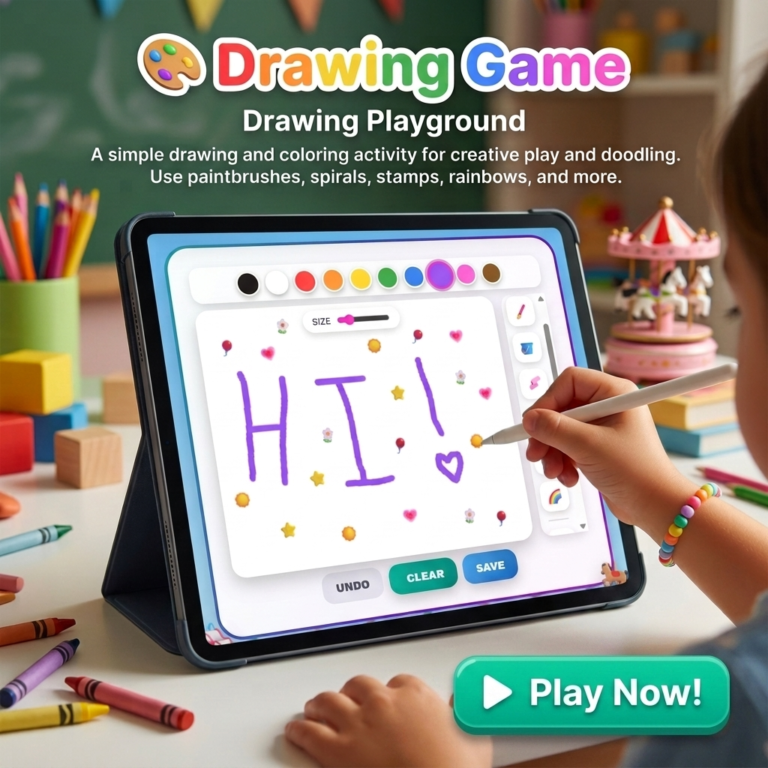
Free Drawing Game for Kids
Choose colors, draw with playful tools, add stamps and glitter, and make your own digital artwork in this free browser drawing game for kids.
Play the Drawing GameCreate Your Own Digital Artwork
Drawing Game is a free online art activity for kids who want to color, sketch, experiment, and make something all their own. Children can choose a favorite color, adjust the drawing size, use a pencil or paintbrush, fill the screen with a bucket tool, erase mistakes, add sparkly glitter, or create a swirling spiral effect.
The game is designed for open-ended creativity. There is no score, timer, correct answer, or wrong picture. Kids can draw a quick doodle, make a colorful scene, fill the canvas with rainbow strokes, add stars and hearts, then use Save to keep a PNG image of their finished work.
How to Play the Drawing Game
Pick a color
Choose from a bright color palette, including black, white, red, orange, yellow, green, blue, purple, pink, and brown.
Choose a drawing tool
Use Pencil for lines, Paintbrush for thicker strokes, Bucket to fill the canvas, Eraser to correct an area, Glitter for sparkle, or Spiral for a playful swirl.
Add stamps and rainbow color
Turn on Rainbow mode or add fun stamps such as stars, hearts, balloons, sunshine, and flowers to personalize the picture.
Save the finished picture
Use Undo to fix the last step, Clear for a brand-new canvas, and Save to download the completed drawing as a PNG image.
What Kids Can Do in Drawing Game
- Choose from a colorful palette of drawing colors
- Make thin pencil lines or thick paintbrush strokes
- Turn on Rainbow mode for color-changing artwork
- Fill the canvas quickly with the Bucket tool
- Use the Eraser to correct parts of a picture
- Add sparkly Glitter dots and spinning Spiral lines
- Stamp stars, hearts, balloons, suns, and flowers
- Save a finished drawing as a PNG image file
Made for simple, low-pressure play: young children can choose a color and make marks with a finger, while older kids can layer tools, stamps, glitter, rainbow colors, and different line sizes to create more detailed digital art.
Why a Free Drawing Game Can Be Helpful
Digital drawing gives children a low-mess way to explore colors, shapes, lines, and creative ideas. A child can make a picture, change direction, try a new tool, erase part of the page, and begin again without needing special supplies or worrying about making a permanent mistake.
This kind of open-ended creative play can also encourage conversation. Families can ask about the picture, notice favorite colors, invent a story about a stamped balloon or flower, or simply let a child enjoy quiet independent art time. The saved image feature makes it easy to celebrate a finished creation afterward.
Frequently Asked Questions
What ages is this drawing game good for?
The simple tap-and-drag drawing controls work well for toddlers and preschoolers, while the different tools, stamps, colors, and save option give early elementary kids more to explore.
Can I save my drawing?
Yes. Tap Save at the bottom of the drawing screen to download the finished artwork as a PNG image file.
What does Rainbow mode do?
Rainbow mode cycles through different colors as a child draws, paints, or uses a stamp, creating a multicolored effect without having to choose each color one at a time.
Will switching tools erase my picture?
No. Switching between Pencil, Paintbrush, Bucket, Eraser, Glitter, Spiral, Rainbow mode, and stamps does not erase the existing artwork. Only Clear starts a brand-new canvas.
Can children use the drawing game on a phone or tablet?
Yes. The drawing canvas is designed for finger drawing on touch screens as well as mouse drawing on computers.
Do I need to download anything or make an account?
No. Drawing Game is free to use in a browser. No account, software download, purchase, or sign-up is required to start creating.
Play More Games
Visit The Playground to discover more free, browser-based games and activities for kids.
Explore The PlaygroundKeep Creating Offline
Explore free printable activities, routine charts, flashcards, worksheets, and more for kids.
Explore Free PrintablesExplore Our Shop
Find printable resources, kid-friendly books, and tools created to support colorful minds and everyday family life.
Visit the Shop